Your Workflow, Timed: Where the Minutes Really Go in a 30-Minute Session (2026)
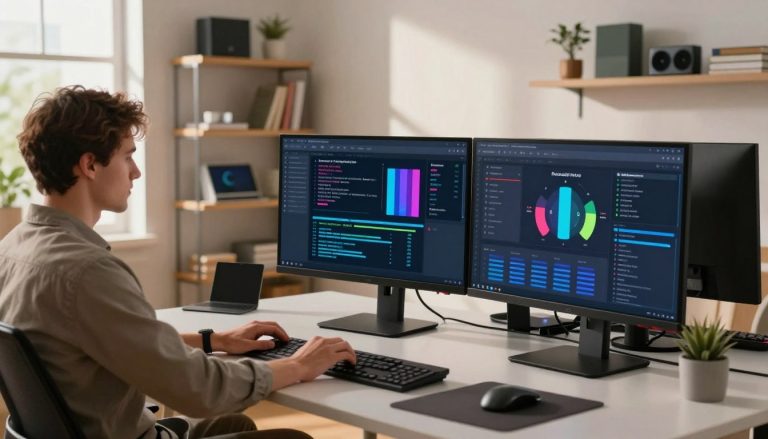
Quick verdict: A 30-minute session is not 30 minutes of generating. In most sessions the generator itself takes the smallest share; the minutes go to writing the prompt, waiting for the render, and deciding whether the result is a keeper. Time one session with a stopwatch and you will stop blaming the model for a slow evening. Nobody’s thirty minutes look like anybody else’s, and that is the point of timing them.

Contents:
- 1. Why Time a Workflow at All
- 2. The Five Steps, Timed
- 3. Where the Minutes Really Go
- 4. The Timer Method: How to Run It
- 5. Three Session Shapes to Try
- 6. What It Costs
- 7. Honest Limitations
- 8. Who This Is For
- 9. Consent and Safety
- 10. Final Verdict
- 11. FAQ
1. Why Time a Workflow at All
Most people describe a session by its result: one good image, three near misses, a video that almost worked. They never describe it by its minutes, so they never learn which part of the session is slow. A workflow feels slow in general, and a general feeling has no fix. A timed workflow has a fix, because the slow step has a name and a number.
Timing is also the cheapest experiment in this hobby. It costs no credits and no new tool. A phone stopwatch, a scrap of paper, and one honest session are enough. You are not timing yourself to work faster. You are timing yourself to find out what you actually do, because what you think you do and what you do are rarely the same thing. Almost everyone who tries this expects the render to be the long step. Almost everyone is wrong, and the surprise is the useful part — and the sheet becomes a baseline for next month, so you can see whether a new habit really helped.
This article walks through one 30-minute session, step by step, with a timer running. The splits below are a plan to try, not a report of a measured session: your numbers will differ, and the difference is the lesson.
2. The Five Steps, Timed
A 30-minute image session breaks into five steps. They are the same five steps whether you make one image or ten, and they are the same on a good night and a bad one. Only the shares change.
| Step | Plan (minutes) | What happens | What eats the time |
|---|---|---|---|
| 1. Decide | 3 | Pick one idea and one look | Scrolling references instead of choosing |
| 2. Write | 7 | Write the prompt and the settings | Rewriting the same sentence five times |
| 3. Generate | 8 | Run the model and wait | Re-running instead of reading the result |
| 4. Review | 7 | Compare, zoom, pick a keeper | Keeping four near-identical versions |
| 5. Finish | 5 | Salvar, name, file the keeper | Leaving files unnamed for later |
The plan adds up to 30 minutes, and the table is a starting guess, not a measurement. Run the timer, write down the real splits, and compare. The step that overshoots its plan by the most is the step to fix first.
Notice what the table leaves out: there is no step called staring at the screen. Staring is not a step. It is what happens inside steps two and four when the decision is unclear. When the prompt is vague, writing takes twelve minutes instead of seven. When the keeper test is vague, reviewing takes twelve minutes instead of seven. The timer does not fix vagueness, but it shows you exactly where vagueness lives, and generating is only eight of the thirty minutes in the plan — often less in practice. If your sessions feel slow, the model is the least likely suspect, and the timer is how you prove that to yourself instead of guessing.
3. Where the Minutes Really Go
Run the timer once and a pattern shows up in nearly every session. The first surprise is the prompt. Writing looks like a two-minute job from the outside, and it takes seven because it is really three jobs: deciding what the image is, finding the words for it, and second-guessing both. The fix is not a better vocabulary. It is a decision made before the timer starts: one subject, one setting, one mood, written on paper before you open the generator.
The second surprise is the review. Reviewing feels like looking, and looking feels instant, but a real review has four moves: open the full size, check the face, check the hands, and compare with the last keeper. The slow part is the comparison that never ends, because two near-identical images can be compared forever. The fix is a rule written in advance: keep the one with the better face, delete the other, and move on.
The third surprise is the finish. Five minutes sounds generous for saving a file, and then the file is called output_20261123_091234.jpg and lives in a downloads folder with forty others. The finish is where sessions leak into the future: every unnamed file is a search you will run next week. Name the keeper in the same minute you pick it, with a date and a use, and the five minutes stay five minutes. The wait itself rarely surprises anyone: rendering takes what it takes and tells you nothing about your habits. The minutes worth finding are the ones you control — the prompt you rewrote four times, the comparison you ran six times, the filename you skipped.
4. The Timer Method: How to Run It
The method is simple enough to run tonight. Set a phone timer for 30 minutes and start it when you sit down, not when you open the generator. Keep a sheet of paper beside you with five lines on it, one per step, and write the clock time each time you switch steps.
Work in one pass. Do not stop the timer to think, and do not pause it when you get stuck. A paused timer measures a fantasy. The stuck minutes are the data, and the step where you get stuck is the step that needs the fix. If you get stuck writing the prompt, the fix is a shorter prompt and a clearer decision. If you get stuck reviewing, the fix is a keeper rule written before the session.

When the timer rings, stop wherever you are and write down three numbers: the minutes per step, the step that ran longest, and the one change you will make next time. One change only. A timed session that produces five fixes produces none, because nobody remembers five fixes by next week. One fix, tried in the next session, is how a workflow actually changes.
Repeat the timing once a week for a month, and keep the four sheets. The same step running long four times in a row is not a bad night, it is the workflow. Fix that step and the whole session gets shorter, even if every other step stays the same.

One warning: do not time a session you are trying to enjoy. Timing turns a relaxed evening into a test, and a test is the wrong frame for play. Time the sessions where you want a result, and leave the wandering sessions untimed. The timer is a diagnostic tool, not a lifestyle.
5. Three Session Shapes to Try
The same 30 minutes can take three different shapes, and each shape fits a different goal. The first shape is the single-image session: twenty minutes on one prompt, five on review, five on finishing. This shape fits a keeper you already see clearly in your head. Use it when the idea is sharp and the image is the point.
The second shape is the batch session: five minutes deciding, five writing one prompt, fifteen generating small variations, five reviewing. This shape fits an evening where you want options, not one perfect image. Its risk is the review step, which grows with every variation you keep. Cap the variations at five, because the sixth variation is rarely the one you keep.
The third shape is the repair session: five minutes picking a flawed keeper, ten minutes editing it instead of re-running it, ten reviewing the edit, five finishing. This shape fits the image that is almost right. Its risk is the edit step, which tempts you to fix everything at once. Stop after the one change that would save the image, because the second fix usually breaks what the first one saved.
Try each shape once, timed, and keep the sheet that felt best. The shape that fits is the one whose longest step still felt short, and that is a personal answer. A batch person forced into single-image sessions will always feel slow, and a single-image person forced into batches will always feel rushed. The timer tells you which one you are, and then you can stop fighting your own shape.
6. What It Costs
Prices checked 13 Nov 2026. Only the numbers below are used in this article; they are the platform’s published credit prices.
Timing a session costs nothing: a phone timer and a sheet of paper are free. The generation inside the session is where the credits go. A single standard text-to-image generation takes 49 créditos, an image-to-image or template generation takes 49 créditos, an undress costs 21 créditos, and a face swap costs 26 créditos. A 5-second video template costs 351 credits and an 8-second one costs 561 créditos.
Work out the cost of one timed session before you run it. A single-image session with three text-to-image tries costs 18 créditos: $0.36 at the $19.99 pack ($0.020 per credit) or $0.22 at the $59.99 pack ($0.012 per credit). A batch session with five template generations costs 245 créditos: $4.90 or $2.94. The packs are $19.99 for 1,000 credits and $59.99 for 5,000 créditos, both one-time purchases with instant credit. The annual packs are $119.88 and $359.88, paid once and delivered monthly across 12 months. There is no $199 pack yet.
The timer also saves credits in a way that shows up on the next bill. A session that ends with a named keeper and a deleted set of near-misses does not get re-run next week, and a re-run is the most expensive habit in this hobby. Thirty minutes with a timer usually costs fewer credits than thirty minutes without one, because the timer forces the review step to end, and the review step is where re-runs are born.
7. Honest Limitations
A timer measures time, not quality. A fast session can produce a bad image, and a slow session can produce the best image of the month. The timer tells you where the minutes went; it does not tell you whether the minutes were well spent. Judge the keeper on its own, and judge the clock separately.
Timing also changes what it measures. The first timed session is always a little faster than a normal one, because being watched — even by yourself — makes you decide faster. The second and third sessions are closer to the truth. Do not rebuild your workflow on the first sheet. Wait for the pattern across three or four sessions, and fix the step that runs long every time. Finally, some sessions should not be timed at all: a session where you are learning a new tool or trying a new look will run long in every step, and the timer will only tell you that learning takes time. That is true and useless. Time the routine sessions, and leave the learning sessions alone.
8. Who This Is For
This is for you if your sessions feel slow and you cannot say why, or if you generate several times a week and want the evenings to feel shorter without cutting the fun out. Skip it if you generate once in a while and enjoy the wandering: a timer adds nothing to a session that has no deadline and no goal.
9. Consent and Safety
Time only your own sessions, with images of yourself or of fictional adults you created. Never generate, time, or keep an image of a real person who did not agree to it, and never keep an image of a minor — real or realistic — under any circumstances. Keep the timed sheets private if they name real people or real projects: they belong on your device, not in a shared folder.
10. Final Verdict
Time one 30-minute session and you will learn one true thing about your own workflow: the generator is rarely the slow part. The minutes live in the prompt, the review, and the finish, and all three are yours to fix. One timer, one sheet of paper, one change per session — that is the whole method, and it works the first time you try it.
11. FAQ
How do I time a 30-minute session?
Start a phone timer when you sit down, keep a paper sheet with five lines — decide, write, generate, review, finish — and write the clock time each time you switch steps. When the timer rings, stop and note the minutes per step, the longest step, and the one change you will make next time.
Which step usually takes the longest?
In most first timed sessions, writing the prompt or reviewing the results runs longest, not the render. The render takes seconds or a minute; the human decisions around it take the rest.
What is a good split for 30 minutes?
A useful starting plan is 3 minutes deciding, 7 writing, 8 generating, 7 reviewing, and 5 finishing. Treat it as a plan to test, not a measurement. Replace it with your real numbers after one timed session.
How many credits does a timed session use?
It depends on what you generate. Three standard text-to-image tries cost 18 créditos, and five template generations cost 245 créditos. Prices checked 13 Nov 2026: $19.99 for 1,000 credits and $59.99 for 5,000 créditos, both one-time purchases.
Should I time every session?
Não. Time the sessions where you want a result, about once a week, and leave wandering or learning sessions untimed. Timing every session turns a hobby into a test and makes people stop timing altogether.
What is the one fix that helps most people?
Write the keeper rule before the session starts: keep the one with the better face, delete the other, and move on. Most slow reviews are comparisons that never end, and a rule ends them.
Keep reading:
- Teach It to Learn It: What Explaining Your Workflow to a Beginner Reveals
- From Idea to Finished AI Porn in 30 Minutes: A Timed Workflow
- The Yearly Review: What 12 Months of Generating Taught You
Start a timed session on the Gerador de pornô AI page, turn a keeper into motion on the Gerador de vídeos pornô AI page, fix the almost-right image on the Editor de imagens AI page, and find your keepers again in the Galeria.